
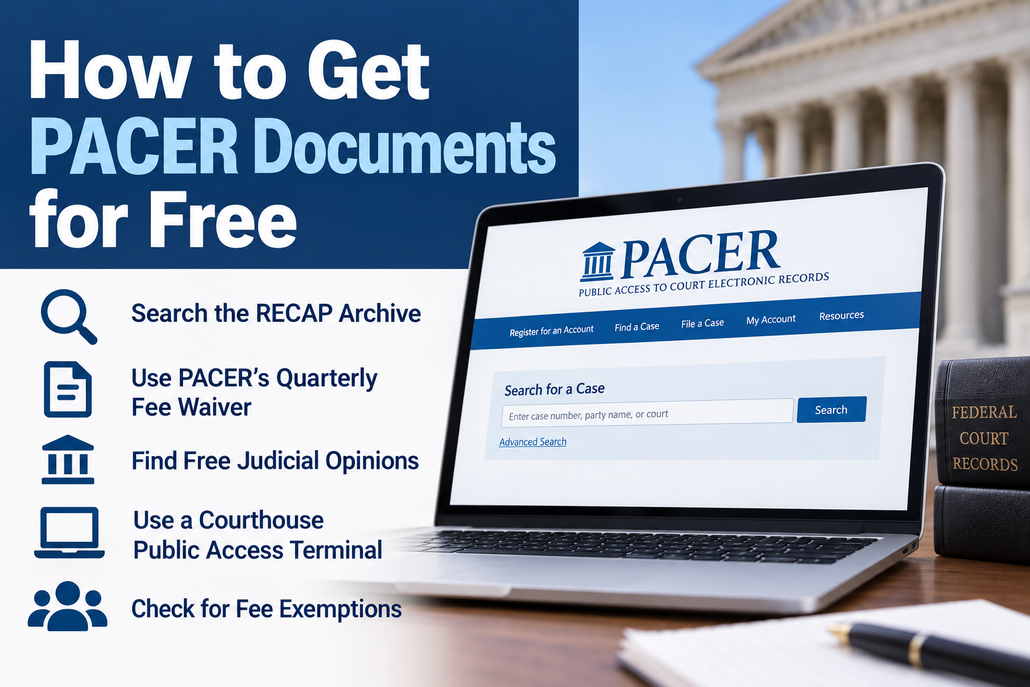
PACER provides online access to federal court records, including docket sheets, motions, orders, briefs, and other case documents. PACER is not completely free, but there are several ways to search PACER for free, obtain PACER documents without paying, or find the same federal court records through free sources.
If you are looking for free PACER access or trying to get court records online for free, start with the options below before paying for a document.
Is There a Free Version of PACER?
There is no separate free version of PACER. PACER generally charges $0.10 per page for online access to federal court case information. A single case document is generally capped at $3.00, although the cap does not apply to certain items, including transcripts and non-case-specific reports.
However, many people can use PACER without actually paying. PACER currently waives fees when an account accumulates $30 or less in charges during a quarterly billing cycle. PACER reports that 75% of its users do not pay a fee in a given quarter.
There are also several ways to obtain federal court documents entirely outside PACER.
1. Start Your Free PACER Search With the RECAP Archive
Before paying for a document on PACER, search the RECAP Archive on CourtListener.
RECAP is operated by the nonprofit Free Law Project and makes millions of federal court documents available to the public without PACER charges. Documents obtained from PACER by RECAP users can be added to the archive and made available to other users.
You can search the archive through CourtListener by case, party, docket information, and other criteria.
Because RECAP does not contain every document available through PACER, you may still need PACER if the document you want has not been added to the archive.
2. Use the RECAP Browser Extension
If you regularly search PACER, the free RECAP browser extension can help you determine whether a document is already available for free.
When you browse PACER with the extension installed, RECAP can identify documents already contained in its archive. If a free copy exists, you can obtain it from RECAP rather than purchasing another copy through PACER.
When a user purchases a document that is not already in the archive, the extension can also contribute that document to RECAP for future users.
The extension does not make PACER itself free. Normal PACER charges can still apply when you retrieve documents through PACER.
3. Get Free PACER Access Through the Quarterly Fee Waiver
For occasional users, PACER may effectively be free.
PACER charges $0.10 per page for most case information. However, as noted above, if you accumulate $30 or less in PACER charges during a quarter, those fees are waived. The quarterly billing periods are January through March, April through June, July through September, and October through December.
For example, if you accumulate $18 in PACER charges during a quarter and incur no additional charges, you are not billed for that $18.
This makes the quarterly waiver particularly useful for people who only occasionally need federal court records.
PACER Fees Will Change in 2027
Beginning January 1, 2027, the PACER per-page charge is scheduled to increase temporarily from $0.10 to $0.12. At the same time, the automatic quarterly fee waiver will increase from $30 to $40. The temporary fee increase is scheduled to remain in effect for five years.
4. Search PACER by Case Number to Reduce Search Charges
If you do need to use PACER, how you search can affect the amount you are charged.
PACER specifically recommends searching by case number rather than party name when possible. A case-number search can take you directly to the case without a search charge, while a party-name search may generate multiple pages of results and corresponding fees.
PACER also recommends limiting docket reports to the information or date range you actually need.
This is important because PACER search results themselves can generate charges. The $3 document cap does not apply to PACER search results.
5. Judicial Opinions Are Free on PACER
If you are looking for a federal judicial opinion rather than a motion, brief, exhibit, or other filing, you may not need to pay anything.
The federal judiciary’s Electronic Public Access Fee Schedule provides that no fee is charged for access to judicial opinions through PACER.
This is one of PACER’s automatic fee exemptions and does not depend on remaining under the quarterly billing threshold.
6. Get Federal Court Opinions Online for Free Through GovInfo
Federal court opinions are also available through GovInfo, a service of the U.S. Government Publishing Office.
The United States Courts Opinions collection provides free public access to opinions from participating federal appellate, district, bankruptcy, and other federal courts. Its holdings generally date to 2004, although coverage varies by court and may be incomplete for earlier years.
GovInfo is useful when you need a court opinion rather than the complete docket or filings submitted by the parties.
7. Use a Federal Courthouse Public Access Terminal
Another way to get access to PACER records for free is to visit a federal courthouse.
The federal judiciary does not charge a PACER fee for viewing case information or documents at courthouse public access terminals.
Printing is different. The Electronic Public Access Fee Schedule currently provides for a $0.10-per-page charge for copies printed from a courthouse public terminal.
If you only need to inspect a court record, however, a courthouse terminal provides free access.
8. Parties and Attorneys Can Receive a Free Copy of Filed Documents
If you are a party to a federal case or an attorney of record, you may receive a free electronic copy of a filing through the court’s electronic notification system.
The federal judiciary provides parties, including pro se litigants, and attorneys of record with one free electronic copy of electronically filed documents through the applicable Notice of Electronic Filing or Notice of Docket Activity when receipt is required by law or directed by the filer.
If you receive one of these notices, save the document when you access the free copy. Retrieving it again later through PACER may result in a charge.
9. Some Users Can Request a PACER Fee Exemption
Courts may grant PACER fee exemptions in appropriate circumstances.
The judiciary identifies potential recipients as including indigent individuals, pro bono attorneys, academic researchers, and nonprofit organizations. Fee exemptions are not automatic. A court must determine that the exemption satisfies the requirements of the judiciary’s fee-exemption policy.
The exemption generally must be limited in scope and necessary to avoid an unreasonable burden.
How to Get a PACER Account
You need to register for a PACER account to search federal court records directly through PACER.
Registration is available through the official PACER website. There is no registration fee simply to create a PACER account. Charges depend on the records and information you access, subject to PACER’s free-access rules and quarterly fee waiver.
If your goal is simply to locate a particular federal court filing, however, check RECAP before retrieving the document through your PACER account.
Is There a PACER Free Trial?
PACER does not offer a conventional free trial. Instead, its fee structure allows many occasional users to access PACER without ultimately paying.
Under the current rules, PACER waives charges when a user’s total usage is $30 or less during a quarterly billing cycle.
That is different from a free trial. There is no limited introductory period after which PACER automatically begins charging a subscription fee.
How to Search PACER for Free
If you want to conduct a free PACER search or get federal court records online for free, use this order:
- Search RECAP first. The PACER document may already be available for free.
- Check whether you need an opinion. Judicial opinions are free through PACER and many are also available through GovInfo.
- Use your PACER quarterly fee waiver. If your total usage stays at or below the current quarterly threshold, the charges are waived.
- Search PACER by case number when possible. This can avoid unnecessary search-result charges.
- Check your electronic filing notice if you are a party or attorney. You may already have a link to a free copy.
- Use a federal courthouse terminal. Viewing PACER records at courthouse public access terminals is free.
- Consider requesting a fee exemption if you qualify.
For most people trying to find a particular federal court filing for free, RECAP is the best place to start. If the document is not available there, PACER’s quarterly fee waiver means that limited PACER use may still cost nothing.
Related Resources
PACER Pricing and Free-Access Rules
PACER Options for Users Who Cannot Afford Fees
U.S. Courts Electronic Public Access Fee Schedule
